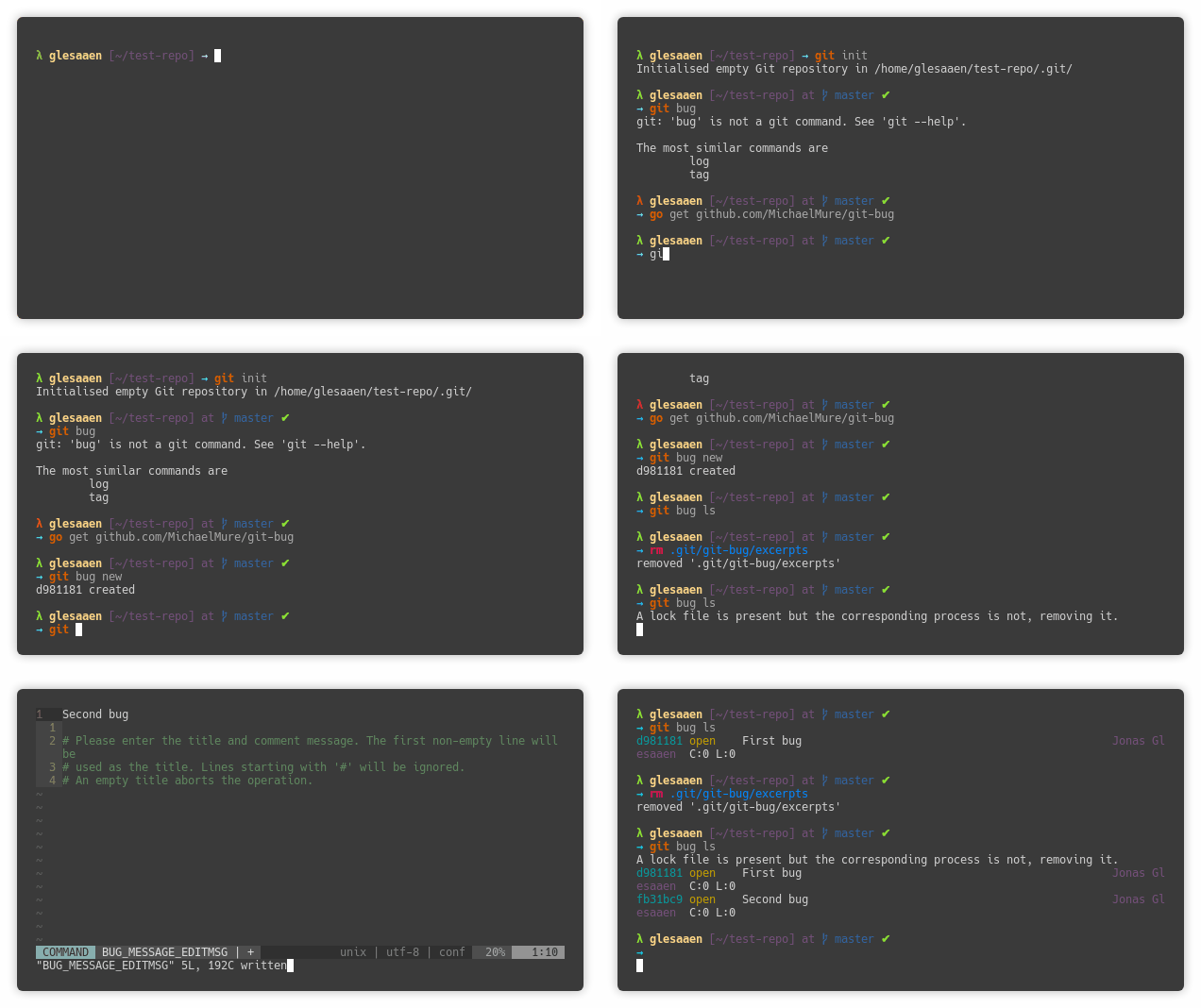
I am trying to use git bug on one of my repositories, and it doesn't seem to properly register new bugs. First of all, this might be normal-ish, but every time I run more or less any git-bug command it shows:
A lock file is present but the corresponding process is not, removing it.
Second, my new issues aren't registered properly. That is, if I create an issue it doesn't show up in the git bug ls command output, nor in the termui. However, if I push the bugs, they do show up in that list, and I can show their content if I run git bug show on the SHA.
It did manage to register one issue, my first one, and I can still interact with that bug by adding comments and labels, but no new bugs show up.
One thing that might be related is that all my bugs show up as having been added at the start of unix time (1970/01/01), not exactly sure what is happening. I installed git-bug by using the go get option, and here are some information that might be useful:
OS: Ubuntu 16.04.4
git: 2.7.4
go: 1.8.3
Git version is somewhat old, with might be the issue here. I can try to get a newer version and see if that helps. I ran an apt upgrade after adding the git PPA, but it somehow managed to mess up my system to the point of no return, so it is a bit hard to me to check. Sorry about that.
Aleksandra Glesaaen Ødegård (Irubataru) commented
Okay, so a format of my PC later I am now running git version 2.17.1 on Ubuntu 18.04.1, and the weird behaviour is still there. I tried cloning the repo I tested with originally, but I can't see any bugs listed. I also tried creating a completely new repo, but that doesn't seem to help either.
Michael Muré (MichaelMure) commented
I assume you are running the latest master ? This is still very fresh code.
If git-bug complain about the lock file, it means it didn't terminate as planned and the file didn't get removed. Either I missed a code path or it's crashing on your machine. Do you get a stack trace or an error ?
I tried to replicate the issue but it works for me.
Regarding the date problem, I can confirm that. Could you open a new (short is fine) issue about that ?
Aleksandra Glesaaen Ødegård (Irubataru) commented (edited)
Yes, it seems as if the issue is on the master branch, I should have checked that first. I started with the release, but I had to switch due to issue #24 which wasn't fixed in v0.2.0. But now that I got a newer version of git I can run the release.
Basically all of these problems are on the master branch only. So e.g. the fact that it has to remove the lock file also only happens on master.
I tried running git-bug in gdb, but it seems to exit normally on my end, so nothing weird happens (tried ls and new). If I create a bug with git-bug from master, I can't find it through ls with git-bug from master, but I can still find it using v.0.2.0.
Michael Muré (MichaelMure) commented
All the code related to the cache and the lock file didn't exist in the latest release. If you run both version you risk to have missing bugs indeed.
Please test only with the latest master, and delete the cache file (.git/git-bug/excerpts). Do you still have this problem ?
Aleksandra Glesaaen Ødegård (Irubataru) commented (edited)
Hmm, if I delete excerpts the bugs start to show up. However, I tried to make a clean repo and add a bug, all using the go get version. This does not show up with git bug ls, but if I delete the excerpts file, it starts to appear. New issues still won't show up until I clear the excerpts file again.
Michael Muré (MichaelMure) commented
go get -u ?
Aleksandra Glesaaen Ødegård (Irubataru) commented
I am currently not on the PC I reported the issues on, but I can report that I am having the exact same issues on an archlinux machine I just installed the code on.
Sorry, I am not familiar with anything go really, -u is to update the already installed package? I saw you had a commit an hour ago. Anyway, just installed it on arch, and it behaved exactly the same.
Michael Muré (MichaelMure) commented
Yes, -u is to make sure that you have the latest commit. Or you can use git to get the last updates and compile again. But if you had the problem with a fresh install it must be something else.
Can you give me a step by step to reproduce the problem ?
Aleksandra Glesaaen Ødegård (Irubataru) commented
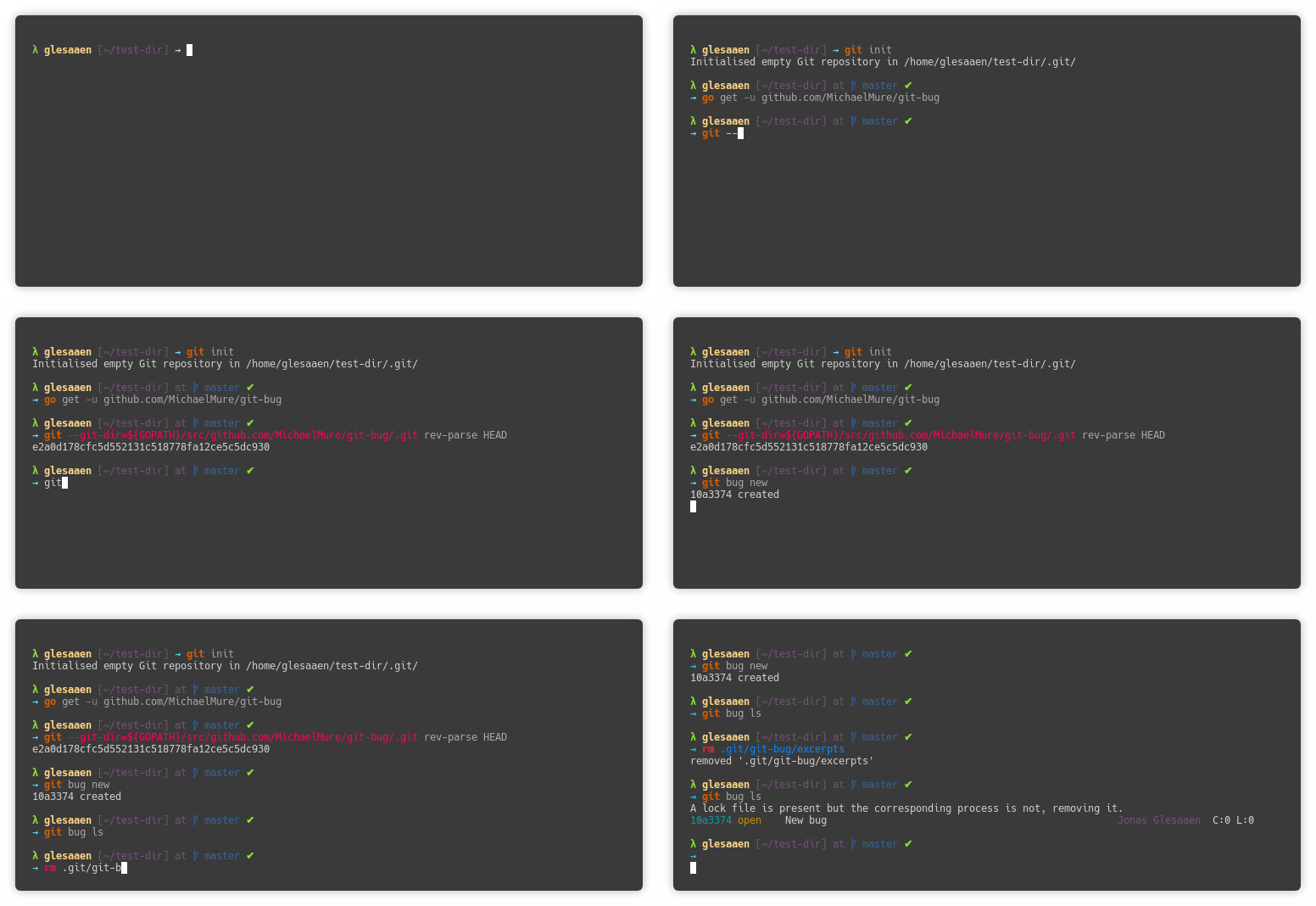
So all I do to create this problem is:
git init
git bug new
git ls
Here is a gif to illustrate, probably doesn't help too much
Michael Muré (MichaelMure) commented
My best guess is that you are still using an outdated version. You removed the binary but you still have the source code in your gopath. go get will not update that and just compile again the same binary.
Can you do the exact same thing but with go get -u ?
Aleksandra Glesaaen Ødegård (Irubataru) commented
Before I made that gif I actually deleted the entire $GOPATH folder to make sure there were no of any old installation left. Adding -u doesn't change anything. Another gif to illustrate:
Aleksandra Glesaaen Ødegård (Irubataru) commented
Other things I have tried so far:
Clearing my .gitconfig
Using nano instead og neovim as git editor
Running in bash instead of zsh
None of these make any difference with respect to behaviour.
Michael Muré (MichaelMure) closed the bug
Michael Muré (MichaelMure) commented
@Irubataru I indeed had missed some code path. Good catch :+1:
Aleksandra Glesaaen Ødegård (Irubataru) commented
It works here as well (probably not surprising). I really love this project, you are doing a great job! :heart:

 Michael Muré (MichaelMure) commented