1---
2title: Tab Switcher
3description: "The Tab Switcher provides a quick way to navigate between open tabs in Zed. It displays a list of your open tabs sorted by recent usage, making it easy to ju..."
4---
5
6# Tab Switcher
7
8The Tab Switcher provides a quick way to navigate between open tabs in Zed. It
9displays a list of your open tabs sorted by recent usage, making it easy to jump
10back to whatever you were just working on.
11
12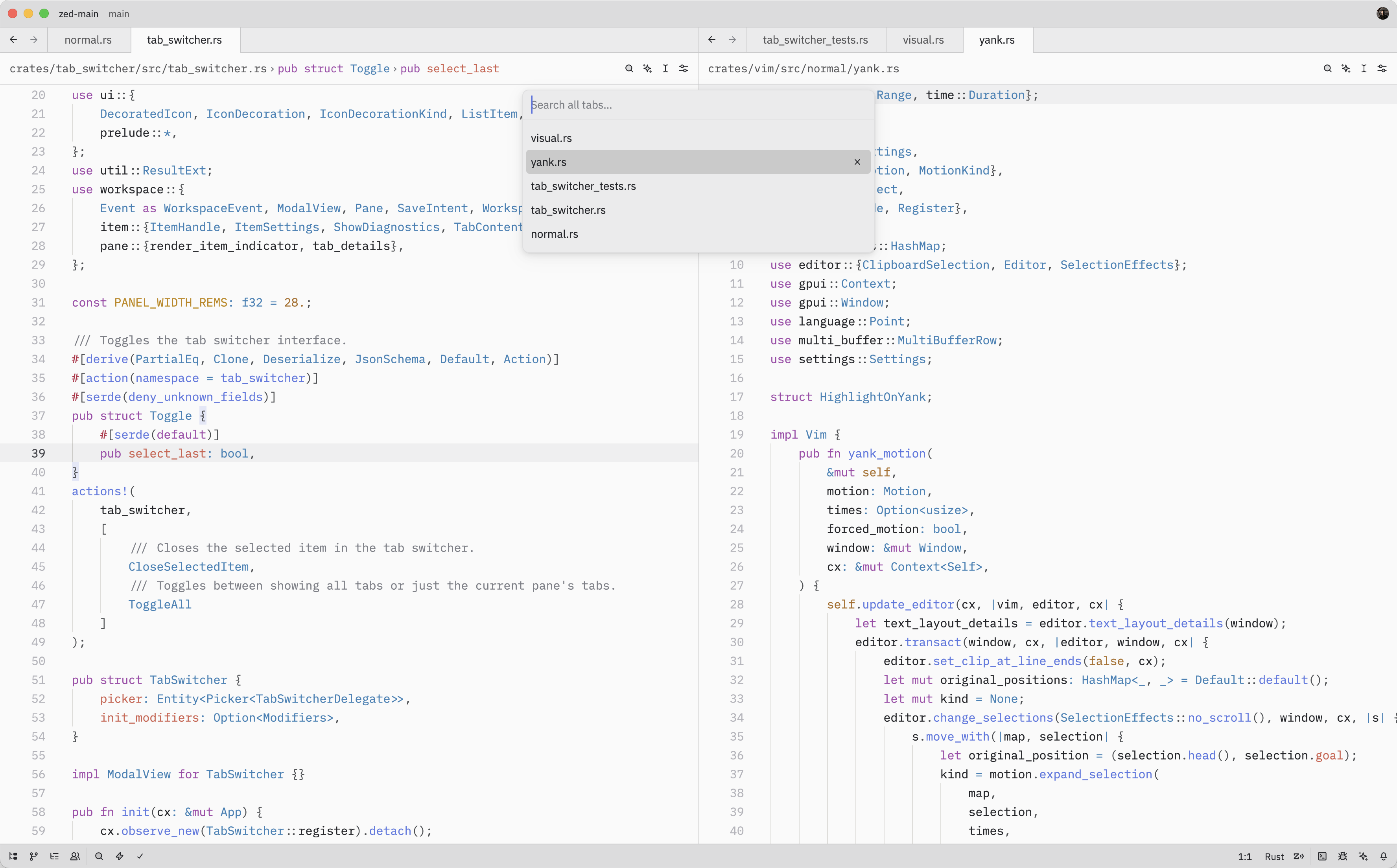
13
14## Quick Switching
15
16When the Tab Switcher is opened using {#kb tab_switcher::Toggle}, instead of
17running the {#action tab_switcher::Toggle} from the command palette, it'll stay
18active as long as the <kbd class="keybinding">ctrl</kbd> key is held down.
19
20While holding down <kbd class="keybinding">ctrl</kbd>, each subsequent <kbd
21class="keybinding">tab</kbd> press cycles to the next item (<kbd
22class="keybinding">shift</kbd> to cycle backwards) and, when <kbd
23class="keybinding">ctrl</kbd> is released, the selected item is confirmed and
24the switcher is closed.
25
26## Opening the Tab Switcher
27
28The Tab Switcher can also be opened with either {#action tab_switcher::Toggle} ({#kb tab_switcher::Toggle})
29or {#action tab_switcher::ToggleAll}.
30
31While the Tab Switcher is open, you can:
32
33- Press {#kb menu::SelectNext} to move to the next tab in the list
34- Press {#kb menu::SelectPrevious} to move to the previous tab
35- Press <kbd class="keybinding">enter</kbd> to confirm the selected tab and close the switcher
36- Press <kbd class="keybinding">escape</kbd> to close the switcher and return to the original tab from which
37 the switcher was opened
38- Press {#kb tab_switcher::CloseSelectedItem} to close the currently selected tab
39
40As you navigate through the list, Zed will update the pane's active item to
41match the selected tab.
42
43## Action Reference
44
45| Action | Description |
46| ----------------------------------------- | ------------------------------------------------- |
47| {#action tab_switcher::Toggle} | Open the Tab Switcher for the current pane |
48| {#action tab_switcher::ToggleAll} | Open the Tab Switcher showing tabs from all panes |
49| {#action tab_switcher::CloseSelectedItem} | Close the selected tab in the Tab Switcher |